Nervos Network (CKB): CKB Fees Pay Miners for Transaction Inclusion
Nervos Common Knowledge Base is a proof-of-work Layer 1 using a cell model for assets and state. One CKByte represents one byte of available onchain state capacity, and CKB also pays transaction fees. This page focuses on cKB Fees Pay Miners for Transaction Inclusion and the checks users need before sending funds, paying fees or using the network.
Send or store assets on Nervos CKB with the correct cell-capacity, fee and DAO assumptions.
Subject:
Nervos Network
Market mode:
Snapshot Only
Fee asset:
CKB
Timezone:
UTC
This page does not inspect a cell, calculate exact capacity, deposit into the DAO, run a miner or validate a script.
Content ownership: BitcoinToolkit Editorial TeamTechnical references: Official protocol and developer documentation.Review approach: Technical explanations are checked against primary sources and updated when the network or asset changes.Last content review: Data integration last tested:
CKB Fees Pay Miners for Transaction Inclusion
Fee calculation is separate from the capacity locked inside outputs.
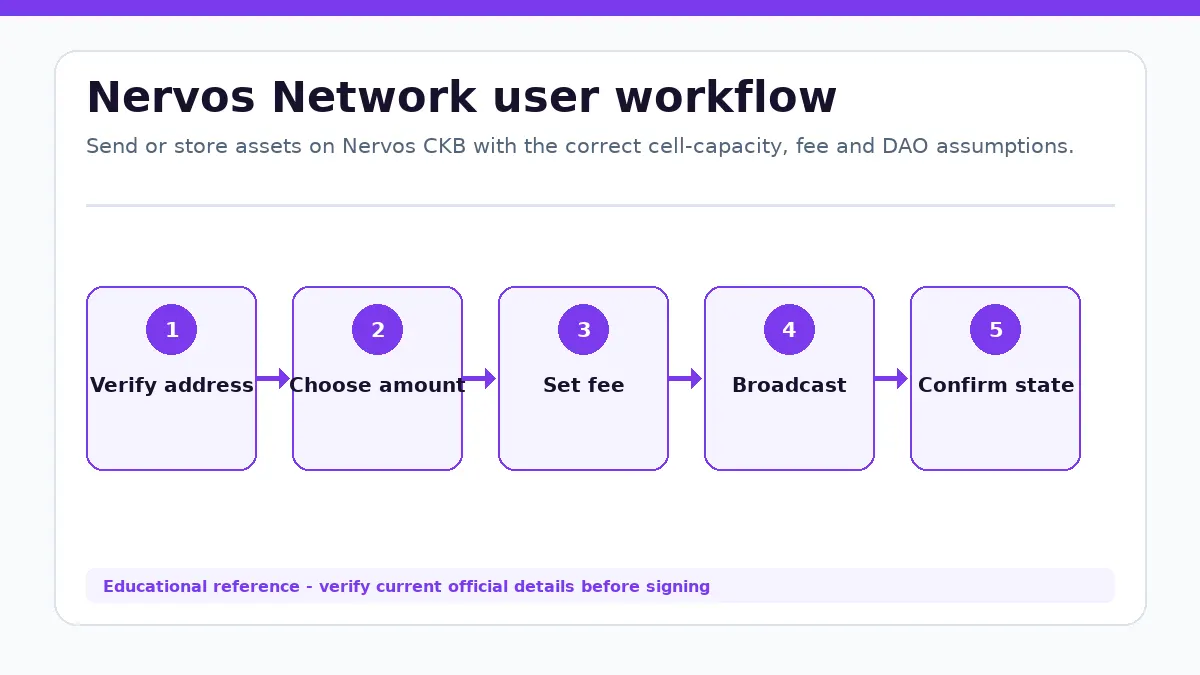
Nervos Network workflow from the first user decision to a verified outcome.
Size, cycles and wallet construction
A Nervos transaction includes input cells, output cells, witnesses and script execution. CKB fees compensate miners and can depend on serialized size and current policy, while CKB-VM cycles constrain computation. The output capacity remains owned in new cells; only the chosen fee is paid away.
Inspect every input and output, script hash, token type, capacity and fee before signing. A token transfer can require CKB capacity in addition to the token amount. Do not send the entire available balance without allowing for change-cell minimums and the fee.
Where Nervos Network Differs for Users
The cell model extends UTXO-style ownership beyond a simple coin amount.
Inputs, outputs and scripts
A Nervos transaction consumes live cells as inputs and creates new cells as outputs. Each cell has capacity and can carry data. A lock script defines the authorization required to spend it, while an optional type script validates how a token, DAO position or application state may be created and changed.
Cells are immutable once created; updating state means consuming old cells and creating replacements. Wallets and applications therefore need the correct live cell references. A stale input or insufficient capacity can invalidate a transaction even when the total displayed CKB balance appears large enough.
CKB is both a transferable asset and a resource for storing state.
Occupied and available CKB
One CKByte corresponds to one byte of state capacity on the base layer. A cell must contain enough CKB to cover its serialized size, including scripts and data. That portion is occupied while the cell exists and can become available again when the state is consumed or reduced under valid script rules.
A wallet may show total, occupied and available balances separately. Occupied CKB is not the same as a transaction fee or a lost balance. Before creating a token cell or contract state, review the required capacity and the resulting change cells so enough liquid CKB remains for later activity.
Proof of Work and the Nervos DAO Address Different Costs
Mining secures consensus while the DAO addresses secondary-issuance dilution for deposits.
Mining and DAO positions
Nervos CKB uses proof-of-work miners to order transactions and validate cell scripts. Base issuance declines over time, while secondary issuance supports ongoing miner incentives and reflects occupied state. The Nervos DAO lets holders deposit CKB and receive compensation calculated under protocol rules.
A DAO deposit is an onchain cell with specific deposit and withdrawal epochs, not an instantly liquid savings account or governance vote. Review the wallet workflow, occupied capacity and withdrawal window. DAO compensation, CKB market price and miner income are different variables and none is guaranteed in fiat terms.
Start with the cells and scripts involved in the transaction.
Transfer, token or DAO task
For a CKB transfer, verify address format, input cells, outputs, change and fee. For a token or application, verify the type script and required capacity. For a DAO deposit, review the exact withdrawal cycle and keep liquid CKB outside the position.
Do not call occupied capacity a fee, treat a ticker as a script identifier or reuse a spent cell reference. Use a current Nervos wallet and explorer to confirm live cells and transaction status.
One CKB represents one byte of onchain state capacity on Nervos CKB.
Is occupied CKB the same as a transaction fee?
No. Occupied CKB remains in a cell, while the transaction fee is paid to miners.
Is the Nervos DAO a governance system?
No. The Nervos DAO is primarily a deposit mechanism tied to secondary-issuance economics and withdrawal rules.
What should I verify before a Nervos Network transaction?
Check the official destination, current network, asset representation, amount, recipient and requested permissions. Transactions consume existing cells and create new cells. Lock scripts control who may spend a cell, while type scripts govern how its data or asset state may change. Miners verify scripts and secure the chain through proof of work. After confirmation, inspect the resulting balance or protocol state instead of relying only on a wallet success message.
Known Limitations
Fee policy, script standards and wallet behavior can change.
Capacity requirements depend on exact serialized cells.
The page does not inspect a live cell or script.
Market Data Methodology
The page uses a CoinGecko aggregated CKB/USD snapshot. No exchange chart is rendered for this entity.
Market Snapshot Source
CoinGecko aggregated market data (CKB/USD)
Cache
Snapshot cache is approximately 60 seconds.
Failure Handling
Verified cached data is labeled Cached or Delayed. Missing values remain unavailable.