Dash (DASH): DASH Transactions Spend Inputs and Pay Data Fees
Dash is a proof-of-work UTXO payment network with a second tier of collateral-backed masternodes. DASH pays fees and also serves as masternode collateral and governance voting weight. This page focuses on dASH Transactions Spend Inputs and Pay Data Fees and the checks users need before sending funds, paying fees or using the network.
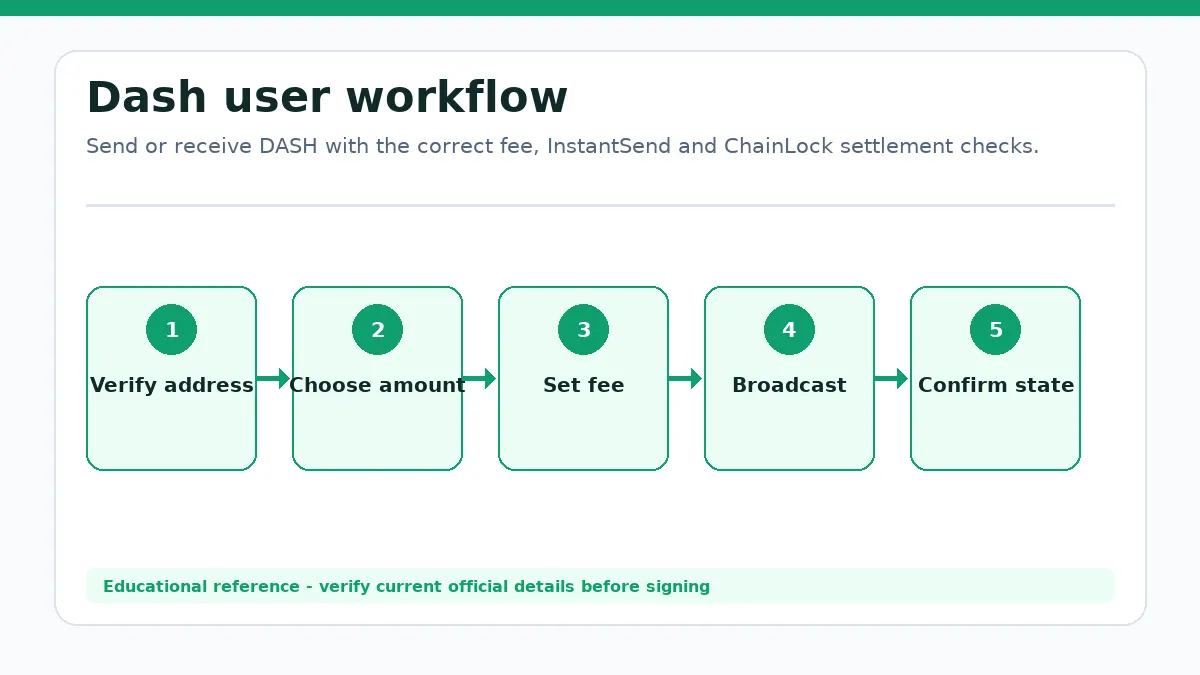
Send or receive DASH with the correct fee, InstantSend and ChainLock settlement checks.
Subject:
Dash
Market mode:
Snapshot Only
Fee asset:
DASH
Timezone:
UTC
This page does not run a masternode, mix coins, estimate rewards, approve a payment or guarantee exchange settlement.
Content ownership: BitcoinToolkit Editorial TeamTechnical references: Official protocol and developer documentation.Review approach: Technical explanations are checked against primary sources and updated when the network or asset changes.Last content review: Data integration last tested:
DASH Transactions Spend Inputs and Pay Data Fees
Amount and transaction size are different cost drivers.
Dash workflow from the first user decision to a verified outcome.
Inputs, outputs and wallet previews
Dash Core uses UTXOs. A wallet selects input outputs, creates the recipient and change outputs and attaches a DASH fee based on transaction data and policy. A higher payment amount does not necessarily create a larger transaction, while many small inputs can increase size.
Check the destination address, amount, selected inputs, change and total fee. Current Dash wallets generally attempt InstantSend locking without a separate user toggle or extra lock fee, but recipients should still observe actual network status rather than infer it from the amount sent.
Dash Operating Context
The two tiers secure different parts of the payment and governance experience.
Miners and service nodes
X11 proof-of-work miners validate transactions and produce Dash Core blocks. Masternodes prove ownership of required DASH collateral and provide quorum-based services, including transaction locks, block locks and governance voting. Evonodes add Dash Platform responsibilities under a separate collateral and service model.
A masternode is not a replacement for mining, and collateral is not burned or transferred to a central operator. Spending the collateral makes the node ineligible. Users evaluating a hosted node must separately assess key control, infrastructure, payout and provider risk.
InstantSend Locks Transactions and ChainLocks Protect Blocks
Both features reduce uncertainty, but they refer to different objects.
Two quorum signatures
InstantSend uses a long-living masternode quorum to lock transaction inputs so conflicting spends are rejected. The transaction can be locked before it appears in a mined block. ChainLocks use a quorum signature for a specific block height, causing compatible nodes to reject competing blocks at that height and below.
A merchant can monitor an InstantSend lock for early payment confidence and later confirm block inclusion and ChainLock status. Exchanges can apply their own crediting rules. A transaction ID alone does not prove either lock, and a frontend badge should be checked against a current node or explorer response.
Masternodes Also Support Governance and CoinJoin
Service features have different security and privacy consequences.
Governance, collateral and privacy
Masternode owners vote on proposals and network funding, while the treasury system can fund approved work. CoinJoin coordinates equal-denomination inputs to reduce simple transaction-linking heuristics. CoinJoin does not make funds invisible or guarantee anonymity against every observer, exchange policy or user mistake.
Running a node requires current collateral, software, network availability and secure keys. Using CoinJoin creates extra transactions and fees and can affect exchange treatment. Keep privacy expectations realistic and verify current provider and jurisdiction policies before sending mixed outputs.
Observe the settlement signal required by your use case.
Payment, node or privacy task
For a payment, verify the UTXOs, fee, InstantSend status and later ChainLock or confirmation required by the recipient. For a masternode, review current collateral and service requirements. For CoinJoin, understand denominations, cost and privacy limitations.
Do not call an InstantSend lock a mined confirmation, assume CoinJoin guarantees anonymity or send masternode collateral to a hosted operator without reviewing custody. Use current Dash Core documentation and wallet status data.
No. It is a quorum lock on transaction inputs; block inclusion is a separate event.
What is a ChainLock?
It is a quorum signature that protects a specific block from competing reorganizations.
Does CoinJoin make DASH fully anonymous?
No. It can reduce simple linkage but does not guarantee privacy against every observer or user mistake.
What pays transaction fees when using Dash?
Dash (DASH) pays the applicable network fee. DASH pays transaction fees on Dash Core. Verify the selected network before signing because a later approval, bridge, claim or exit can require another transaction.
What should I verify before a Dash transaction?
Check the official destination, current network, asset representation, amount, recipient and requested permissions. Miners produce blocks, while long-living masternode quorums create InstantSend locks for transactions and ChainLock signatures for blocks. Masternodes also support governance and treasury decisions. After confirmation, inspect the resulting balance or protocol state instead of relying only on a wallet success message.
Known Limitations
Fees, collateral and quorum rules can change.
Recipient settlement policies remain independent.
The page does not provide anonymity or operate a node.
Market Data Methodology
The page uses a CoinGecko aggregated DASH/USD snapshot. No exchange chart is rendered for this entity.
Market Snapshot Source
CoinGecko aggregated market data (DASH/USD)
Cache
Snapshot cache is approximately 60 seconds.
Failure Handling
Verified cached data is labeled Cached or Delayed. Missing values remain unavailable.