Skip to content
BitcoinToolkit

Solana (SOL): How Transactions and Validators Work

Solana is a proof-of-stake blockchain built around accounts, executable programs and transactions that can combine several instructions. SOL is its native asset and pays network fees. This page focuses on how Solana Transactions and Validators Work and the checks users need before sending funds, paying fees or using the network.

Prepare and verify a Solana transaction without confusing wallet addresses, token accounts, programs or fee settings.

Subject:
Solana
Market mode:
Snapshot Only
Fee asset:
SOL
Timezone:
UTC

This is an educational network and market reference. It does not simulate a transaction, verify a token mint, select a validator or provide investment advice.

Content ownership: BitcoinToolkit Editorial Team Technical references: Official protocol and developer documentation. Review approach: Technical explanations are checked against primary sources and updated when the network or asset changes. Last content review: Data integration last tested:

How Solana Transactions and Validators Work

Proof of stake and the network clock support ordering, while user safety still depends on signatures, program behavior and commitment level.

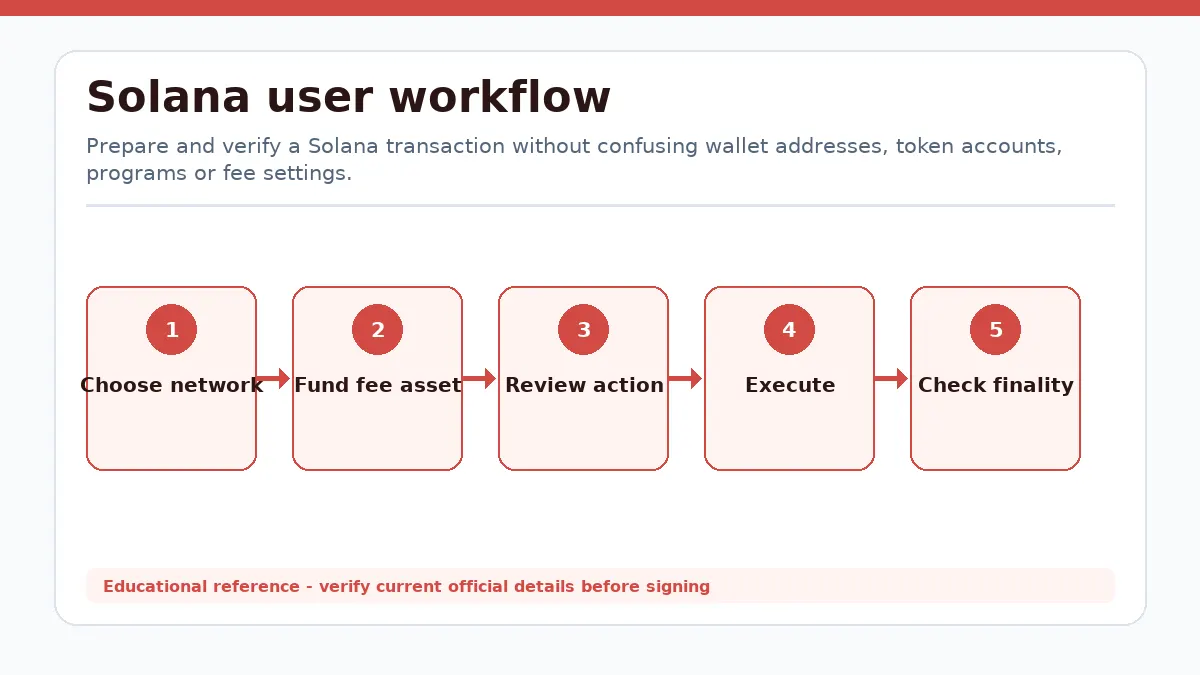
Solana workflow showing Choose network, Fund fee asset, Review action, Execute, Check finality
Solana workflow from the first user decision to a verified outcome.

Consensus is not the wallet permission model

Validators vote, produce blocks and earn rewards under Solana proof of stake. Proof of History provides an ordered cryptographic clock used by the protocol; it should not be described as a replacement for validator consensus. Delegating SOL assigns stake to a validator vote account but does not transfer day-to-day wallet signing authority.

Finalized commitment represents a stronger state than a transaction merely observed by one RPC. Applications should also account for RPC lag or disagreement. A finalized malicious instruction is still malicious: consensus confirms network execution, not whether a user intended to approve a particular token authority or program call.

Common failure paths

Frequent mistakes include signing for the wrong cluster, trusting an unverified mint, approving broad token authority, retrying an expired transaction without reviewing changed instructions, or setting an excessive compute-unit price. Hardware wallets and simulations reduce some risks but cannot make an unknown program trustworthy.

Solana Tools

Fee Calculators

Stablecoin Transfer Fee Calculator

Estimate USDC, USDT and DAI transfer fees across verified networks. Compare fee assets, cost ranges, fee percentages and sender total cost.

Input / output
Inputs and outputs vary by published tool.
Test state
Passed
Last tested
Open Tool

Solana Transaction and Fee Checks

Solana does not store every kind of state inside one wallet account. Programs and data accounts have separate roles.

State lives in accounts

Every piece of persistent Solana state is held in an account identified by a 32-byte address. An account records lamports, data, an owner program and execution-related fields. The owner is the program allowed to change that account data; it is not necessarily the human who controls a wallet key.

Solana programs are executable accounts containing sBPF bytecode. A program is generally treated as stateless because mutable application state lives in separate accounts supplied to each instruction. This lets the runtime see which accounts a transaction will read or write before execution and schedule work that does not contend for the same writable state.

Wallets, token accounts and PDAs

A wallet address can own SOL and authorize transactions, but an SPL token balance normally sits in a token account associated with a mint and owner. A Program Derived Address is deterministically derived from a program ID and seeds; the program can authorize for it through runtime rules even though no private key exists for the address.

Before sending a token, confirm the mint, destination token account and program being invoked. A familiar ticker or wallet label is not proof that a mint is canonical. Closing, creating or reallocating accounts may also move lamports, so the transaction summary should be reviewed beyond the headline token amount.

How a Solana Transaction Executes

A transaction is one signed atomic package containing account references and one or more compiled instructions.

Message, signatures and instructions

The message lists account addresses, a recent blockhash and compiled instructions. Each instruction names a program and identifies the accounts it can use. Required signers authorize the message, and versioned transactions can use address lookup tables to reference more accounts without placing every address directly in the packet.

Freshness and confirmation

A recent blockhash prevents an ordinary transaction from remaining valid indefinitely. If it expires before processing, the transaction must be rebuilt and signed again; rebroadcasting the old signature does not create a fresh transaction. Durable nonce workflows exist for specialized offline or delayed signing and require separate handling.

RPC clients expose processed, confirmed and finalized commitment levels. A fast interface may show processed results before stronger cluster agreement is reached. Deposits, bridges and dependent application actions should wait for the level required by that service and should verify the signature through a current RPC or explorer.

How SOL Fees and Compute Budgets Work

Solana fees combine mandatory signature work with an optional scheduling bid; neither is a percentage of the amount transferred.

Base and priority components

Every transaction pays a base fee in SOL for required signatures. The protocol expresses SOL in lamports, and the base amount therefore depends on signature count rather than the value of a payment or token swap. A failed transaction can consume the base fee because signature verification and execution were attempted.

An optional prioritization fee is based on the requested compute-unit limit and chosen compute-unit price. The limit is a budget, not a prediction of actual use, so setting it much higher than necessary can overpay the priority component. Wallet estimates should use recent conditions and transaction simulation instead of copying a fixed fee from another application.

Operational checks

Keep enough SOL for the fee even when the transferred asset is an SPL token. Review any compute-budget instructions, because they can change the requested limit and priority price. Also distinguish transaction fees from account funding, rent-related balances, swap price impact and application charges; they are separate costs even if one wallet summarizes them together.

Solana Network use FAQ

Does every Solana token pay fees in SOL?

Yes. The transaction fee payer needs SOL even when the transferred asset is an SPL token.

What is a Solana program?

A program is executable sBPF code; mutable application state is stored in separate accounts supplied to instructions.

Can a failed transaction still charge a fee?

Yes. A transaction can fail during processing while still consuming its signature and requested execution fee.

What should I verify before a Solana transaction?

Check the official destination, current network, asset representation, amount, recipient and requested permissions. Programs execute instructions against explicitly listed accounts. Validators order and confirm transactions, while a recent blockhash, signatures, compute limits and account permissions constrain what can execute. After confirmation, inspect the resulting balance or protocol state instead of relying only on a wallet success message.

Known Limitations

Market Data Methodology

The page uses a CoinGecko aggregated SOL/USD snapshot. No exchange chart is rendered for this entity.

Market Snapshot Source
CoinGecko aggregated market data (SOL/USD)
Cache
Snapshot cache is approximately 60 seconds.
Failure Handling
Verified cached data is labeled Cached or Delayed. Missing values remain unavailable.
Snapshot Status
Delayed
Report Issue
Report a market-data problem →

Technical Sources

Selected primary sources support the operational explanations. Market-provider attribution remains separate.

Editorial Information

Verified technical content, reviewed sources and update history.

Published
Last Review
Data Verification
Sources
Official documentation